
Mobility advice is moving beyond simply choosing a cane or completing a few stretches. In 2026, physical therapists are increasingly combining proven exercise principles with wearable tracking, telehealth check-ins, safer home design, and better-matched mobility devices. The goal is not to adopt every new gadget; it is to move with less pain, lower fall risk, and more confidence in the places that matter most.
The seven recommendations below apply to older adults, people recovering from injury, and anyone noticing stiffness or reduced balance. Each includes practical criteria, likely tradeoffs, and a next step so you can test technology without allowing it to replace a qualified clinical assessment.
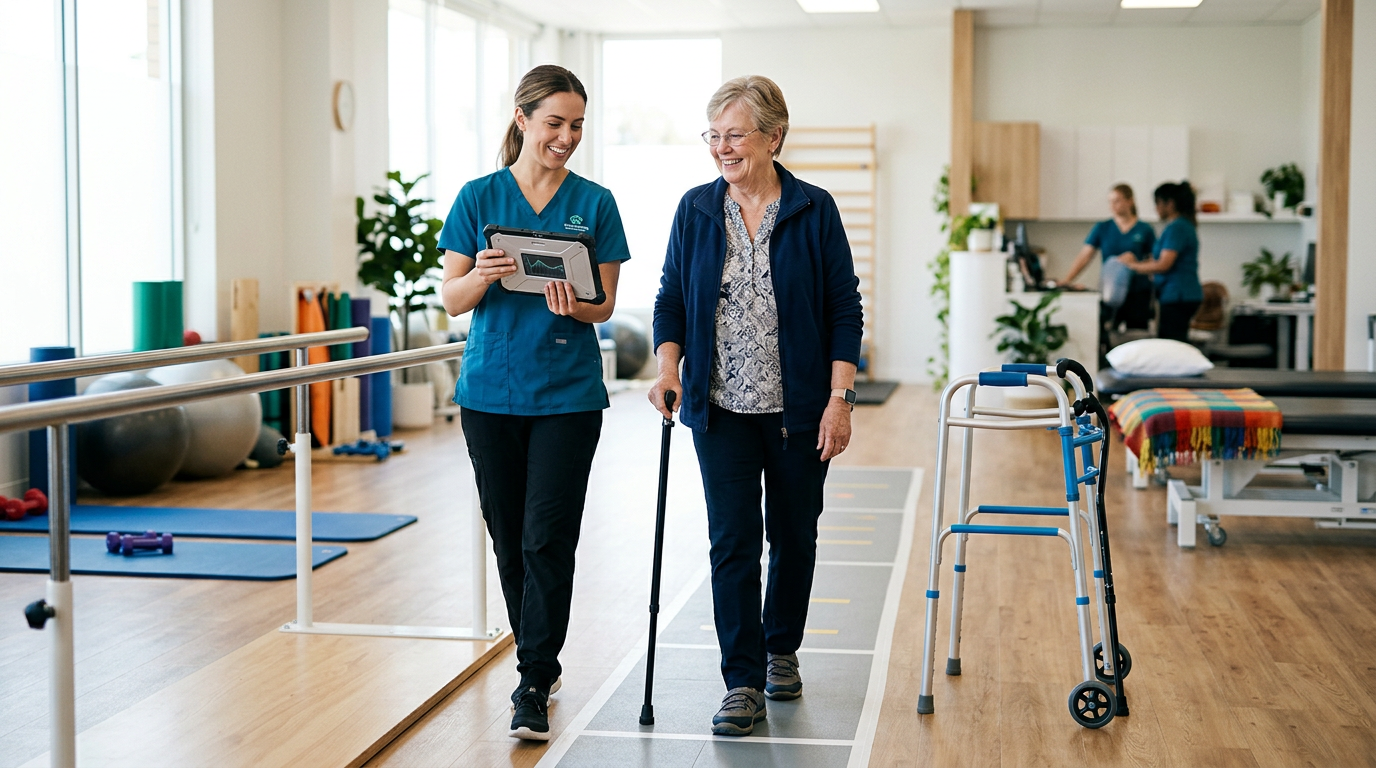
Build strength into daily movement instead of relying on stretching alone
Flexibility can make movement feel easier, but strength and control are what help the body use that range safely. Physical therapists commonly prioritize the hips, thighs, calves, trunk, and upper back because these areas support standing, stair climbing, transfers, and walking speed. A short routine performed consistently is usually more useful than an ambitious workout completed once a week.
Unless a clinician has given you different limits, begin with one or two sets of controlled movements two or three days per week. Use a countertop or sturdy chair for support, and stop for sharp pain, new swelling, dizziness, or chest symptoms.
- Lower-body focus: sit-to-stands, supported mini-squats, heel raises, and low step-ups.
- Mobility focus: gentle ankle, hip, and thoracic-spine range-of-motion exercises.
- Progression: add repetitions first, then resistance or difficulty; do not change everything at once.
Do next: Ask a physical therapist to demonstrate two strengthening exercises and one mobility drill that match your diagnosis, surgical precautions, or current balance level.
Practice balance in small, supervised doses before adding complexity
Balance is a trainable skill, but an unsafe challenge can produce a fall. Therapists generally begin with positions that allow quick support, such as standing near a kitchen counter, and then progress from a wide stance to a narrower stance, head turns, reaching, or stepping. Eyes-closed exercises and unstable surfaces should not be casual first steps, particularly for people with neuropathy, vertigo, vision loss, or a recent fall.
Try five to ten minutes of balance practice most days, ideally when you are alert and wearing secure footwear. A chair, wall, or trusted helper should be within reach rather than several steps away.
| Stage | Example | Safety standard |
|---|---|---|
| Beginner | Weight shifts while holding a counter | Both hands available for support |
| Intermediate | Heel-to-toe stance near a stable surface | One hand ready; therapist-approved |
| Advanced | Stepping, reaching, or head turns | Use supervision if fall risk is elevated |
Do next: Have your therapist identify the correct starting stage and document a simple progression instead of selecting a balance app challenge at random.
Use walking aids for fit and function, not appearance
A cane, walker, rollator, or other mobility device can improve independence when it is correctly selected and adjusted. The right device depends on how much weight you need to unload, whether you need a seat, the width of your home, your grip strength, and whether you can safely manage brakes. A device that is too tall, too low, or too heavy may increase shoulder strain and instability.
As a general fitting guide, the handle often aligns near the wrist crease when you stand upright with relaxed shoulders, producing a small elbow bend when holding it. That is only a starting point; injury, posture, and gait pattern can change the recommendation.
- Cane: useful for mild, one-sided support but requires adequate balance and hand control.
- Two-wheel or standard walker: offers more stability but can be harder to maneuver through narrow rooms.
- Rollator: provides wheels and often a seat, but requires reliable brake use and may roll too easily for some users.
Do next: Take the device to a therapy appointment and ask for a gait assessment, height check, turning practice, and a review of how to manage curbs, stairs, and uneven ground.
Make the home easier to navigate before a fall forces the change
Many mobility gains disappear when the home contains loose rugs, poor lighting, low seating, or cluttered routes. A home safety review is one of the most cost-effective ways to support mobility for elderly individuals and people with limited vision or balance. The assessment should focus on the routes you actually use: bed to bathroom, kitchen to living room, entryway, and outdoor steps.
Some changes are inexpensive, while others require an occupational therapist, contractor, or landlord. Avoid buying bathroom equipment solely from a product photo; toilet height, wall strength, tub shape, and transfer technique determine whether it will work.
- Secure or remove loose rugs and keep cords away from walking paths.
- Add bright, even lighting and night-lights between the bedroom and bathroom.
- Choose chairs with arms and a seat height that makes standing controlled rather than strenuous.
- Install professionally anchored grab bars where transfers occur; suction bars are not a universal substitute.
Do next: Photograph the home’s high-risk areas and ask a therapist or occupational therapist to rank improvements by fall-prevention value and cost.
Treat wearable data as a conversation starter, not a diagnosis
Wearables and phone sensors can record steps, walking speed, activity breaks, heart rate, or changes in gait consistency. This intelligent data mobility may help reveal patterns that are difficult to remember during a short appointment. For example, a gradual drop in daily walking or repeated pauses may prompt a review of pain, medication effects, fatigue, or confidence.
However, consumer measurements vary by device, fit, body position, and software. A step count does not show whether movement was safe, and an algorithmic score should not determine whether you increase exercise. Privacy also matters: check what data is collected, where it is stored, who receives it, and whether it can be deleted.
- Use the same device and placement for comparable readings.
- Record symptoms alongside activity, including pain, dizziness, and recovery time.
- Share weekly trends rather than reacting to one unusual number.
- Confirm concerning changes with a clinician before changing treatment.
Do next: Bring a two-week summary to your physical therapist and ask which metric is clinically meaningful for your goal. Do not treat a wearable alert as an emergency diagnosis.
Choose connected mobility devices for accessibility, support, and serviceability
New mobility devices for seniors may include powered scooters, smart walkers, lift-assist products, sensor-equipped braces, and devices that offer navigation or activity feedback. The most useful innovation is often the one that reduces a specific barrier, such as fatigue on longer outings or difficulty rising from a chair. More features can also mean more charging, maintenance, training, and opportunities for confusion.
Before purchasing a new model mobile device in 2026, test it in conditions that resemble your life. A showroom floor will not reveal how it handles a doorway, carpet, a slope, a vehicle trunk, or a crowded shop.
| Decision factor | Questions to ask |
|---|---|
| Fit and access | Will it fit through doors, elevators, and the vehicle used most often? |
| Control | Can the user operate brakes, speed settings, charging, and alerts independently? |
| Battery and upkeep | What is the real-world range, replacement cost, warranty, and repair process? |
| Clinical value | Does it improve a measured task or merely add a dashboard feature? |
Do next: Request an in-person trial and written specifications. Compare at least two options, including a simpler non-connected device, before committing funds.
Protect health information when mobility technology connects to care
Connected devices may transmit movement, location, vital-sign, or appointment information to an app, caregiver, clinic, or vendor. Secure data handling is part of responsible mobility planning, especially when a product integrates with electronic health records or employer- or insurer-provided services. Enterprise tools such as VMware mobility management can help organizations control access and device security, but a consumer should still understand the individual product’s policies.
Do not assume that a device is private simply because it has a password. Review permissions, account recovery, software support, and whether data is sold or shared for advertising. Use unique credentials and avoid pairing a medical device with a public or untrusted network when possible.
- Turn on multi-factor authentication where available.
- Install updates from the manufacturer and remove unused apps or accounts.
- Ask whether emergency contacts can access location data and how to revoke access.
- Confirm who owns the records and how long they are retained.
Do next: Ask the clinician or vendor to explain data flow in plain language before enrollment. If an employer or health system supplies the device, ask its privacy office what VMware mobility or comparable controls are in place.
Schedule reassessment when function changes instead of waiting for a crisis
Mobility plans should evolve with pain, strength, medication, vision, footwear, medical conditions, and daily demands. A device or exercise plan that worked after an injury may become unnecessary, or it may become inadequate as balance declines. Physical therapists can use repeated measures such as walking speed, sit-to-stand performance, timed mobility tests, and confidence ratings to show whether an intervention is helping.
Consider reassessment after a fall, a hospitalization, a significant medication change, new numbness, increasing shortness of breath, or a noticeable decline in walking tolerance. Seek urgent medical attention for sudden one-sided weakness, sudden confusion, severe chest pain, or severe shortness of breath rather than attempting a home mobility workout.
- Track one functional goal, such as standing from a chair five times or walking to the mailbox.
- Review progress every four to eight weeks, or sooner if symptoms change.
- Bring medication changes, device problems, and activity records to the appointment.
Do next: Write down a measurable goal and a review date. A data-driven plan is useful only when a clinician interprets the trend and adjusts the plan safely.
Frequently asked questions about therapist-recommended mobility
Q: Are these mobility recommendations only for older adults?
A: No. The principles apply to anyone with stiffness, weakness, balance limitations, arthritis, neurological conditions, or recovery needs. Exercise selection and safety level should be individualized.
Q: How much do mobility devices and technology typically cost?
A: Basic canes may cost about $15–$50, walkers commonly range from roughly $40–$250, and rollators often cost about $75–$500. Powered products, smart sensors, subscriptions, and custom equipment can range from several hundred to several thousand dollars. Prices vary by features, insurance rules, local suppliers, and service contracts.
Q: Will Medicare or insurance pay for a new mobility device?
A: Coverage depends on medical necessity, the device category, the prescriber’s documentation, supplier rules, and the specific plan. Ask the clinician and insurer whether prior authorization, an in-network supplier, a face-to-face evaluation, or a rental period is required before purchasing.
Q: Should I buy the latest device immediately?
A: Not necessarily. Compare the newest product with a simpler alternative, test control and fit, and calculate ongoing costs such as batteries, repairs, connectivity, and subscriptions. New technology is valuable only when it improves a daily task.
Q: Can an app replace physical therapy?
A: An app can support reminders, tracking, and communication, but it cannot reliably diagnose the cause of a gait change or observe every safety issue. Use it as an adjunct to professional assessment.
Turn the seven recommendations into a practical 2026 plan
Start with the mobility problem that most limits your independence rather than the device category that attracts the most attention. A therapist can help determine whether the best solution is strengthening, balance training, a better-fitted aid, home modification, or medical follow-up. Technology should make the plan easier to measure and maintain, not make it harder to understand.
- Book an assessment if pain, falls, weakness, or declining endurance is affecting daily activities.
- Choose one measurable goal and track it for two weeks.
- Trial any cane, walker, rollator, wearable, or connected product before buying.
- Check coverage, warranty, privacy terms, repair access, and total ownership cost.
- Set a reassessment date and change the plan based on function and symptoms.
These steps keep emerging medical technology grounded in clinical judgment. Whether you use a basic walking aid or an intelligent system, the best mobility solution is the one that safely supports the life you actually lead.